Translate

Jquery Image to Base64 Convert ,For Servier side upload

Thursday, April 26, 2018 Category : 0


var file1;
            if (document.getElementById("inputFile").files.length > 0) {
                file1 = document.getElementById("inputFile").files[0];


                var reader = new FileReader();
                reader.readAsDataURL(file1);
                var image;
                reader.onloadend = function (e) {
                    var Image64= e.target.result;
                 // post to server
                   

                }
            }

ASP.NET Core AngularJs/Jquery File Upload

Category : 0

 public class FileInputModel
    {
        public IFormFile FileToUpload { get; set; }
        public string UserId { get; set; }
    }


API Class

 public class FileUploadController : Controller
    {
        [HttpPost]
        [Route("api/fileupload/CustomerExcelUpload2")]
   
        public IActionResult CustomerExcelUpload2(FileInputModel file)
        {

        }


}


For AngularJs :


return $http({
            url: serviceBasePath + '/api/fileupload',
            method: 'POST',
            //data: JSON.stringify(data),
            processData: false,
            contentType: false,
            data: (data),
            headers: { 'content-type': undefined }
            , transformRequest: angular.identity
        }).success(function (d) {
            defer.resolve(d);
        }).error(function (error) {
            defer.reject();
            ShowMsg(error.ExceptionMessage);
        })
            ;


Jquery


 $.ajax(
            {
                url:  'http://localhost:8094/api/fileupload/CustomerExcelUpload',
               data: formData,
                processData: false,
                contentType: false,
                type: "POST",
                success: function (data) {
                    alert("Files Uploaded!");
              }
            }
       );

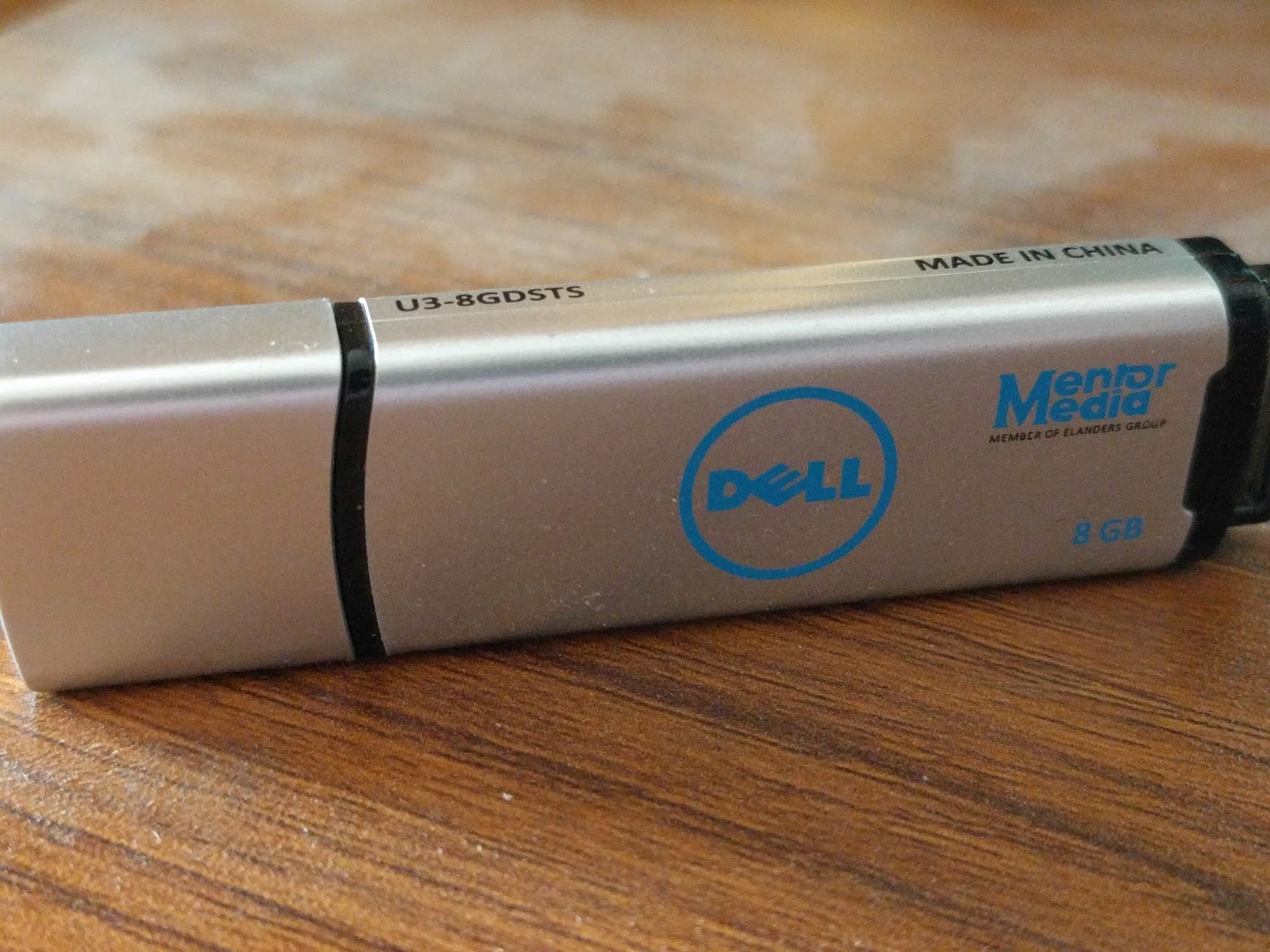
Dell USB Drive the disk is write protected pen drive

Thursday, March 15, 2018 Category : 2


My Solution obtain by following link

http://www.techunboxed.com/2016/09/how-to-disable-write-protection-on-dell.html

which is desribed in comment on above link article

Round 5:
(0. Insert a new DELL U3-8GDSTS flash drive into a usb port - I used a usb2.0 port)
1. Download SMI MPTool V2.5.36 v7 from here: http://flashboot.ru/files/file/445/ (Direct Download: http://flashboot.ru/files/file/445/download/sm3267_v2536_aa3/)
2. Extract the RAR and open the "sm32Xtest_V36-7.exe" as admin
3. Press "Setting" - Password: 320
4. Load the "default.ini" or download the content of my already customized "DELL_ROUND_5.ini" (https://pastebin.com/vv06mB8V) and load it.
4.1. When loading the "default.ini", under the tab "Capacity Setting" change the "Bad Block" value from 44 to 60.
5. Press "OK" to close the settings, click on "Scan USB" (or press F5), wait for the flash drive to show up and then hit "Start" - after 30 to 60 seconds you'll have an unlocked DELL 8GB flash drive ;)

Cheers!

 here is some other reference for different scenario

https://www.dell.com/community/Storage-Drives-Media/Unable-to-format-Dell-USB/td-p/4659496

I have maintain a download link of all software uses in all those article

https://drive.google.com/open?id=1jUCZcXOcPve78K9IEObfHFz-PBeX9UZM

FIK.DAL

Friday, March 2, 2018 Category : , 0

Welcome to the FIK.DAL wiki!

This Library develop  for reducing to write simple query which is need to write frequently, when developing an
application.
A Simple SQL Query Generator Using ADO.NET Provider with SqlClient. Some Developer want's to develop through own query, rather then entity framework. Then it is useful to reduce query generation task.


In the above picture shown this library what can perfom.

Above this picture shown an sample test client for this library.


Above this picture shown using this library for easy insert query.

Above this picture shows when need to insert data throgh various model . with insert or update.
when using update then if  you need to increase/decrease a field value with current value then
use a  + or - sign ,on selectiveProperty Parameter .

This is the final test output

https://github.com/imamulkarim/FIK.DAL

SQL Server Deafult Port Open For Windows

Sunday, February 25, 2018 Category : 0

For Cmd

@echo ========= SQL Server Ports ===================
@echo Enabling SQLServer default instance port 1433
netsh firewall set portopening TCP 1433 "SQLServer"
@echo Enabling Dedicated Admin Connection port 1434
netsh firewall set portopening TCP 1434 "SQL Admin Connection"
@echo Enabling conventional SQL Server Service Broker port 4022
netsh firewall set portopening TCP 4022 "SQL Service Broker"
@echo Enabling Transact-SQL Debugger/RPC port 135
netsh firewall set portopening TCP 135 "SQL Debugger/RPC"
@echo ========= Analysis Services Ports ==============
@echo Enabling SSAS Default Instance port 2383
netsh firewall set portopening TCP 2383 "Analysis Services"
@echo Enabling SQL Server Browser Service port 2382
netsh firewall set portopening TCP 2382 "SQL Browser"
@echo ========= Misc Applications ==============
@echo Enabling HTTP port 80
netsh firewall set portopening TCP 80 "HTTP"
@echo Enabling SSL port 443
netsh firewall set portopening TCP 443 "SSL"
@echo Enabling port for SQL Server Browser Service's 'Browse' Button
netsh firewall set portopening UDP 1434 "SQL Browser"
@echo Allowing multicast broadcast response on UDP (Browser Service Enumerations OK)
netsh firewall set multicastbroadcastresponse ENABLE

For PowerShell version of the script

Write-host ========= SQL Server Ports ===================

Write-host Enabling SQLServer default instance port 1433

#netsh firewall set portopening TCP 1433 "SQLServer"

New-NetFirewallRule -DisplayName "Allow inbound TCP Port 1433" –Direction inbound –LocalPort 1433 -Protocol TCP -Action Allow

New-NetFirewallRule -DisplayName "Allow outbound TCP Port 1433" –Direction outbound –LocalPort 1433 -Protocol TCP -Action Allow

Write-host Enabling Dedicated Admin Connection port 1434

#netsh firewall set portopening TCP 1434 "SQL Admin Connection"

New-NetFirewallRule -DisplayName "Allow inbound TCP Port 1434" -Direction inbound –LocalPort 1434 -Protocol TCP -Action Allow

New-NetFirewallRule -DisplayName "Allow outbound TCP Port 1434" -Direction outbound –LocalPort 1434 -Protocol TCP -Action Allow

Write-host Enabling conventional SQL Server Service Broker port 4022

#netsh firewall set portopening TCP 4022 "SQL Service Broker"

New-NetFirewallRule -DisplayName "Allow inbound TCP Port 4022" -Direction inbound –LocalPort 4022 -Protocol TCP -Action Allow

New-NetFirewallRule -DisplayName "Allow outbound TCP Port 4022" -Direction outbound –LocalPort 4022 -Protocol TCP -Action Allow

Write-host Enabling Transact-SQL Debugger/RPC port 135

#netsh firewall set portopening TCP 135 "SQL Debugger/RPC"

New-NetFirewallRule -DisplayName "Allow inbound TCP Port 135" -Direction inbound –LocalPort 135 -Protocol TCP -Action Allow

New-NetFirewallRule -DisplayName "Allow outbound TCP Port 135" -Direction outbound –LocalPort 135 -Protocol TCP -Action Allow

Write-host ========= Analysis Services Ports ==============

Write-host Enabling SSAS Default Instance port 2383

#netsh firewall set portopening TCP 2383 "Analysis Services"

New-NetFirewallRule -DisplayName "Allow inbound TCP Port 2383" -Direction inbound –LocalPort 2383 -Protocol TCP -Action Allow

New-NetFirewallRule -DisplayName "Allow outbound TCP Port 2383" -Direction outbound –LocalPort 2383 -Protocol TCP -Action Allow

Write-host Enabling SQL Server Browser Service port 2382

#netsh firewall set portopening TCP 2382 "SQL Browser"

New-NetFirewallRule -DisplayName "Allow inbound TCP Port 2382" -Direction inbound –LocalPort 2382 -Protocol TCP -Action Allow

New-NetFirewallRule -DisplayName "Allow outbound TCP Port 2382" -Direction outbound –LocalPort 2382 -Protocol TCP -Action Allow

Write-host ========= Misc Applications ==============

Write-host Enabling HTTP port 80

#netsh firewall set portopening TCP 80 "HTTP"

New-NetFirewallRule -DisplayName "Allow inbound TCP Port 80" -Direction inbound –LocalPort 80 -Protocol TCP -Action Allow

New-NetFirewallRule -DisplayName "Allow outbound TCP Port 80" -Direction outbound –LocalPort 80 -Protocol TCP -Action Allow

Write-host Enabling SSL port 443

#netsh firewall set portopening TCP 443 "SSL"

New-NetFirewallRule -DisplayName "Allow inbound TCP Port 443" -Direction inbound –LocalPort 443 -Protocol TCP -Action Allow

New-NetFirewallRule -DisplayName "Allow outbound TCP Port 443" -Direction outbound –LocalPort 443 -Protocol TCP -Action Allow

Write-host Enabling port for SQL Server Browser Service's 'Browse

#netsh firewall set portopening UDP 1434 "SQL Browser"

New-NetFirewallRule -DisplayName "Allow inbound UDP Port 1434" -Direction inbound –LocalPort 1434 -Protocol UDP -Action Allow

New-NetFirewallRule -DisplayName "Allow outbound UDP Port 1434" -Direction outbound –LocalPort 1434 -Protocol UDP -Action Allow


If Both SQL 2008 & SQL 2014 , OR Any Different two or more version. Then remote pc browse
only work for one version. then we need to manually add port settings for one or more sql tcp port.

Shown in below Screen shot .


in my case Port is default set for sql 2008

 
Then i have set manually port for sql 14 and add  to the firewall exception.

@echo Enabling SQLServer default instance port 1533
netsh firewall set portopening TCP 1533 "SQLServer"


C# HttpWebRequest FormData post and return Json

Wednesday, January 24, 2018 Category : , 0


        public static Result POSTFormData(string url, string identifier, string FormData)
        {
            // Setup the POST data
            //string poststring = String.Format("qrCodeData=90320388203195564382");
            Result result = new Result();
            try
            {

                HttpWebRequest httpRequest = (HttpWebRequest)WebRequest.Create(url);

                httpRequest.Method = "POST";
                httpRequest.ContentType = "application/x-www-form-urlencoded";
                httpRequest.Headers.Add("secret", identifier);


                // Convert the post string to a byte array
                byte[] bytedata = System.Text.Encoding.UTF8.GetBytes(FormData);
                httpRequest.ContentLength = bytedata.Length;

                // Create the stream
                Stream requestStream = httpRequest.GetRequestStream();
                requestStream.Write(bytedata, 0, bytedata.Length);
                requestStream.Close();

                // Get the response from remote server
                HttpWebResponse httpWebResponse = (HttpWebResponse)httpRequest.GetResponse();
                Stream responseStream = httpWebResponse.GetResponseStream();

                System.Text.StringBuilder sb = new System.Text.StringBuilder();
                using (StreamReader reader = new StreamReader(responseStream, System.Text.Encoding.UTF8))
                {
                    string line;
                    while ((line = reader.ReadLine()) != null)
                    {
                        sb.Append(line);
                    }
                }

                result.ResultState = true;
                result.JsonString = sb.ToString();

            }
            catch (Exception ex)
            {
                result.ResultState = false;
                result.SqlError = ex.Message;
            }

            return result;
        }


            object theImg = dt.Rows[0]["Picture"];
if (!DBNull.Equals(theImg, DBNull.Value) && ((byte[])theImg).Length > 0)
            {
                 pictureBox1.BackgroundImage = new ImageHelper().ByteToImage((byte[])theImg);
}

C# Image , Byte , URL To Image Convert

Category : 0

    public class ImageHelper
    {
        public byte[] ImageToByte(Image imageIn)
        {

            MemoryStream ms = new MemoryStream();
            imageIn.Save(ms, System.Drawing.Imaging.ImageFormat.Jpeg);
            return ms.ToArray();
        }

        public Image ByteToImage(byte[] byteArrayIn)
        {
            MemoryStream ms = new MemoryStream(byteArrayIn);
            Image returnImage = Image.FromStream(ms);
            return returnImage;
        }

        public Image GenerateThumbnailImage(string imgUrl)
        {
            Image imgThumb = null;
            try
            {
                Image image = null;
                if (imgUrl != String.Empty)
                    image = Image.FromFile(imgUrl);

                if (image != null)
                {
                    imgThumb = image.GetThumbnailImage(130, 170, null, new IntPtr());
                    //this.Refresh();
                }
                return imgThumb;
            }
            catch
            {              
                return imgThumb;
            }
        }

    }

Powered by Blogger.